Tales from the Workbench
Don’t have time to read this week’s issue? Why not copy/paste it into your AI agent and ask it for insights?
Some weeks the newsletter is one idea worked all the way through when time affords it. This week it’s the other kind: a run of small tools, each one built to kill a single specific annoyance while I’ve been juggling my workload around being Dad Taxi. It’s been a week of non-stop interruptions and sweltering heat, but here’s what’s come from the workbench:
New models on the block
Two new models out from Anthropic: Sonnet 5 and Fable 5 (technically re-released — or can we say ‘out on good behaviour’?). I’m leaving both where they are for now. I gave Sonnet 5 a job running my morning-brief skill this week, which normally takes 5–10 minutes tops on Opus 4.8 — and it took a good deal longer. In fairness, my whole setup is tuned around Opus, so that’s the reminder that past a point the model isn’t the bottleneck, the tooling around it is. I’ll keep looking for jobs Sonnet 5 is genuinely better at, and workflows where Opus is burning tokens it doesn’t need to.
And Fable 5? I’m not sure I care yet — and the fine print isn’t helping. It came back on July 1 after an export-control pause, but you only get it “included” up to about half your weekly usage until July 7. After that it’s metered at $10 and $50 per million tokens, twice the price of Opus 4.8, which makes it the most expensive model on Anthropic’s list. It also chews through your plan allowance about twice as fast as Opus for the same work, and it sits behind a safety classifier aggressive enough that plenty of ordinary coding requests get bounced back to Opus anyway.
So the offer is: pay double, run out faster, and watch some of your requests quietly fall back to the model you were already using. Every time I open Claude it’s “FABLE IS HERE, PLAY WITH IT FOR A WEEK” — and I lean on too much steady tooling to go chasing a discounted frontier model that gets repriced or pulled the moment I start to rely on it. I’ll do what the sensible advice says and keep it for the rare job that genuinely justifies the cost, and let Opus carry the everyday load.
And it’s bigger than Anthropic. A White House executive order back in June now has federal agencies vetting frontier models for safety before wide release — a roughly month-long gate. That’s what paused Fable 5, and it’s why OpenAI’s newest family (GPT-5.6, the Sol/Terra/Luna tiers) is locked to around twenty government-approved partners and isn’t in ChatGPT at all. Even OpenAI is grumbling that this shouldn’t become the default. The frontier is quietly turning into something you get vetted for, rather than something you just log in and use. And if you’re building anything on top of these models, that’s where it bites: the prices shift, the quotas get fuzzier, and you have to design for the best model suddenly not being there, instead of assuming the fancy one will always be sitting there when you reach for it.
Plugging my e-reader into Claude Code
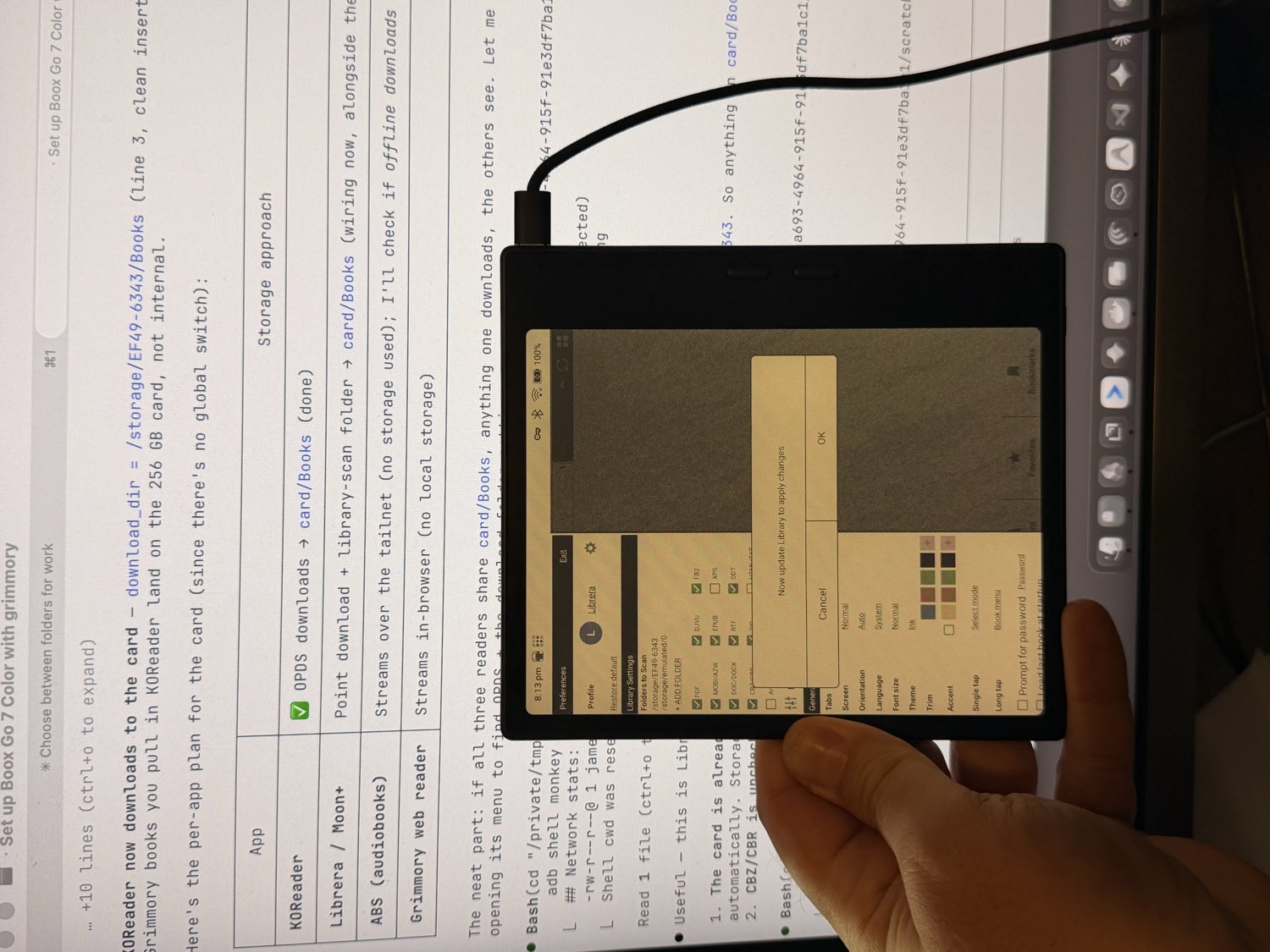
My son’s e-reader broke months ago, and while covered for repair by Amazon, it was past fixing. In the months of waiting for a status update and a refund, he’s been happily using my Kindle Paperwhite instead. I used the refund to get myself something a little more ‘hacker-friendly’ for my books, comics, and audiobooks. After a lot of back-and-forth with Cerebro about what would actually fit my setup, I landed on the Boox Go Color 7 Gen II and stepped out of the Kindle ecosystem for good. It’s an Android e-ink tablet, so it’s far more open and customisable than a locked-down reader. The best part: I plugged it straight into the computer on Sunday afternoon and told Claude to load it — every book, comic, and audiobook, sorted onto the device and synced to my homelab media hub without needing to drag files around.
Automating the User Manuals
I’m helping a local business get back on its feet after the owner died — rooms of equipment and no one left who knows how any of it works. I’ve mapped the network, walked the site, photographed everything, and built a raw inventory. The question now is how to turn all of that into something the people who have to run the place can actually use.
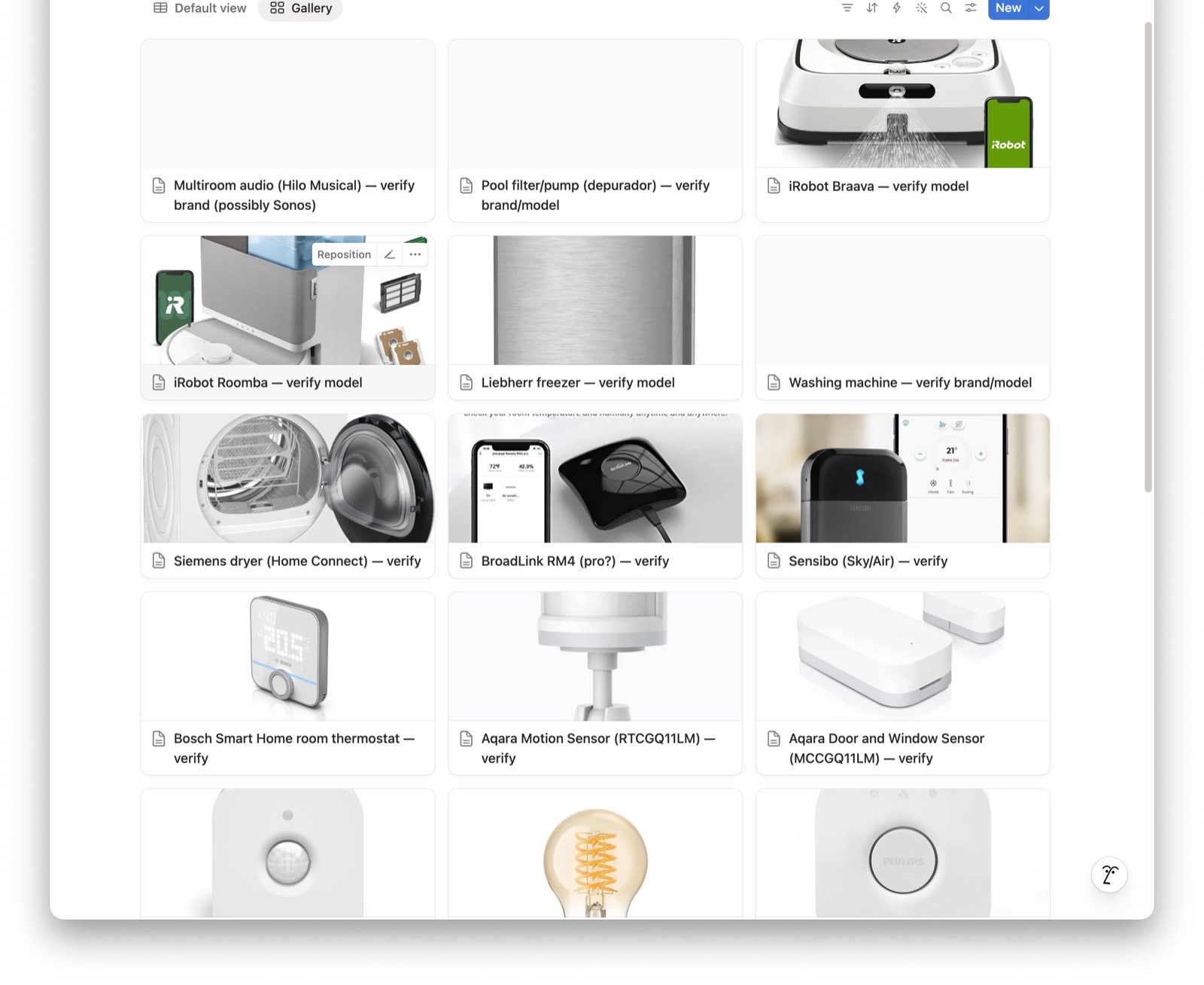
The build: a “master manual” in Notion. Point Claude at the pile of gear and get back a searchable brain where every device has its own page — what it is, its manual, its warranty, and a how-to video, in one place. Capture a box of stuff, get a manual.
Here’s what makes it a real manual instead of a spreadsheet — the must-haves I’ve been building it around:
- Brand and model are the lookup key. The instinct is to reach for the serial number, but there’s no universal serial-lookup service — a serial is for registering the warranty, and it won’t tell you what a thing actually is. Brand and model off the rating sticker is what everything hangs on, and a photo of that sticker is the perfect input: it usually carries all three in one shot.
- One page per device, and the page is the manual. A plain-language spec, the official manual (embedded when it’s a real PDF, linked when it’s only a quick-start card), an approved how-to video, the warranty, and the support number — everything a person needs, instead of a row in a table they still have to go and research.
- An emergency card on every page. Collapsed until something breaks and someone’s panicking, then it opens to the steps that matter: check the reset, call support, quote the serial, start the warranty claim.
- Everything the AI finds is flagged “verify” until a human confirms it. It never states a warranty period or “the right manual” as fact — it proposes, a person confirms. That check is the whole point.
- Warranty dates become reminders. Each device’s expiry turns into a dated nudge, so cover doesn’t lapse without anyone noticing.
When it’s further along I’ll share the spec, the build log, and the prompts — so if you’re ever handed a pile of gear with no institutional memory (a business, an inherited house, a rental you manage), you’ve got a starting point.
Favourite thing this week
I’ve been watching Kitboga and his scambaiting videos with childish delight for years, and I loved this one — he’s turning the tables on AI-robocall scammers and costing them money in tokens while he’s at it. Worth a watch: Kitboga vs the robocallers (trigger warning: Albuquerque, New Mexico).
- Jim
A tool I actually use: most of my task system runs on Notion. If you’re a startup or a solo founder, you can get 3 months of Notion Business free, with unlimited AI and no credit card, through my link. Try Notion free for 3 months →
Notion affiliate link — I get a small credit if you start a trial.
Signal Over Noise helps you sort the AI worth your time from the hype. If it was useful, pass it to someone who’d want it too.